Why Integrations Are No Longer Optional
There was a time when live chat was a simple widget sitting quietly in the corner of your website. You added it, your agents answered questions, and that was that. But the world your customers live in has changed — and so have their expectations.
Today’s customer doesn’t just visit your website. They’re on WhatsApp before they even open a browser. They expect you to already know their order history when they start typing. They want their support ticket created automatically — not after filling out three forms. They want the AI in their favourite app to answer questions about your product on their behalf.
That’s not wishful thinking. That’s where business is heading in 2026. And that’s exactly why we built ICTDesk.net — not just as a live chat tool, but as an integration hub that plugs your conversations into every platform your business already depends on.
“Integration isn’t a feature. It’s the foundation. Without it, your chat tool is an island. With it, it becomes the nerve centre of your entire customer operation.”
This guide walks you through every major integration category ICTDesk supports — from CRMs and helpdesks to AI language models and the emerging Model Context Protocol (MCP). Each section explains what the integration does, which platforms it works with, how your users connect their own accounts, and why it matters for their day-to-day work.
Whether you’re a small business owner who just signed up, or a developer evaluating ICTDesk for enterprise deployment — this is your complete integration reference.
How ICTDesk Integrations Work
Before diving into individual platforms, it’s worth understanding the model. ICTDesk is not a middleman that holds your data on your behalf. Instead, each registered user — every business that has purchased an ICTDesk package — connects their own third-party accounts directly from their workspace.
When an ICTDesk user wants to sync their chats with HubSpot, they click “Connect HubSpot” inside their ICTDesk dashboard, they’re redirected to HubSpot’s own authentication screen, they approve the connection, and the OAuth token comes back to ICTDesk — encrypted, tied to their workspace, invisible to any other user on the platform.
This design matters enormously. It means your customer data stays yours. ICTDesk acts as the connector — not the owner. Every API call to HubSpot, Shopify, or OpenAI is made using your credentials, on your behalf, within the scope of permissions you chose.
The Four Ways Users Connect
| Auth Method | Used By | How It Works | Security Model |
|---|---|---|---|
| OAuth 2.0 | HubSpot, Salesforce, Shopify, Google | User redirected to provider login, approves scope, token returned | Token encrypted per workspace, refresh auto-managed |
| API Key / Token | OpenAI, Stripe, Mailchimp, Zendesk | User pastes their own API key into ICTDesk settings | Keys stored in encrypted vault, never exposed in UI |
| Webhook / SDK | WhatsApp, Zapier, n8n, Make | ICTDesk generates unique webhook URL per user workspace | Webhook secret validated on every incoming request |
| MCP Server | Claude, ChatGPT, Copilot, Cursor | User’s AI client connects to ICTDesk MCP server endpoint | Bearer token + per-user workspace scoping |
With that foundation in place, let’s walk through each integration category in detail.
1. CRM Integrations — Know Your Customer Before They Say Hello
The first question any customer support agent asks — consciously or not — is “who is this person?” Without a CRM integration, that question has to be answered the slow way: searching another tab, asking the customer for their details, or worse, pretending you’re helping when you’re actually flying blind.
ICTDesk’s CRM integrations solve this at the moment a chat starts. The moment a visitor opens your chat widget, ICTDesk can look up their email address, match it against your CRM, and surface their contact record, deal history, last purchase, and open tickets — right inside the chat interface, before the agent even types a word.
“Having the customer’s full history in front of you during a live chat isn’t just convenient — it transforms the entire conversation. You’re no longer reactive. You’re informed.”
Architecture
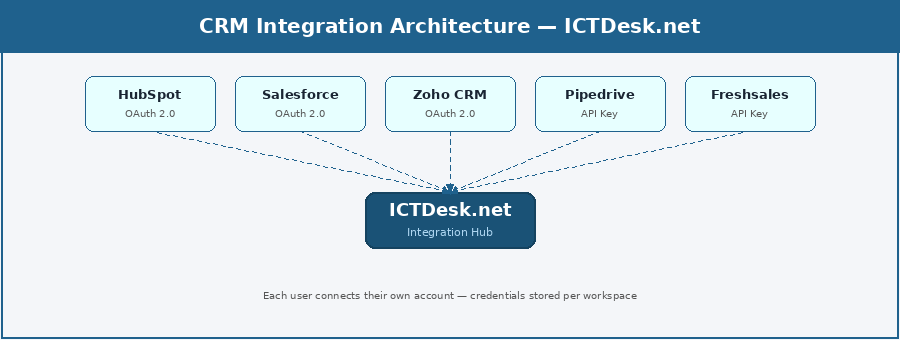
Supported CRM Platforms
| Platform | Connection | Key Actions | Best For |
|---|---|---|---|
| HubSpot | OAuth 2.0 | Create/update contacts, log chat as activity, sync deals, create tickets | SMBs, marketing-led sales teams |
| Salesforce | OAuth 2.0 | Create leads/contacts, log chat transcript, create cases, trigger flows | Enterprise sales, large support teams |
| Zoho CRM | OAuth 2.0 | Sync contacts, create leads, update deal stages, attach transcripts | SMBs using Zoho ecosystem |
| Pipedrive | API Key | Create persons/leads, attach activities, update pipeline stages | Sales-focused teams, deal tracking |
| Freshsales | API Key | Create contacts, log calls/chats, update deals | Teams using Freshworks suite |
| Monday CRM | OAuth 2.0 | Create items, update boards, attach chat summaries | Visual workflow teams |
| Copper CRM | OAuth 2.0 | Google Workspace-native, sync contacts from chat | Google-first businesses |
| Agile CRM | API Key | Create contacts, add tags, trigger automations | Small teams, all-in-one stack |
| Bitrix24 | Webhook | Create leads, update CRM records, trigger workflows | Teams using Bitrix24 collaboration |
| SuiteCRM | API Key | Open-source CRM, create contacts, log interactions | Self-hosted, data-sovereign teams |
What This Looks Like in Practice
A visitor starts a chat on an ICTDesk-powered website. They mention their order number. The CRM integration has already matched their email to a Salesforce contact — the agent sees their full history, the deal they’re attached to, and the open case from last month. The agent resolves the issue in under two minutes, logs the chat automatically, and the Salesforce record is updated without anyone touching another screen.
That’s not a demo scenario. That’s a Tuesday morning for any business that has connected their CRM to ICTDesk.
2. Helpdesk & Ticketing — From Conversation to Resolution
Live chat and helpdesk software have always been natural partners. Chat is where the conversation starts; helpdesk is where it gets resolved if it can’t be fixed in real time. The problem has always been the gap between them — copy-pasting transcripts, manually creating tickets, losing context in the handoff.
ICTDesk’s helpdesk integrations close that gap permanently. A chat that needs escalation becomes a ticket with one click — or automatically, based on rules you define. The entire transcript, customer details, and chat metadata travel with it. Your support team never starts a ticket from scratch again.
“The moment you can convert a live chat into a tracked, assigned, prioritised support ticket without leaving the interface — that’s when your support operation becomes a real system.”
Architecture
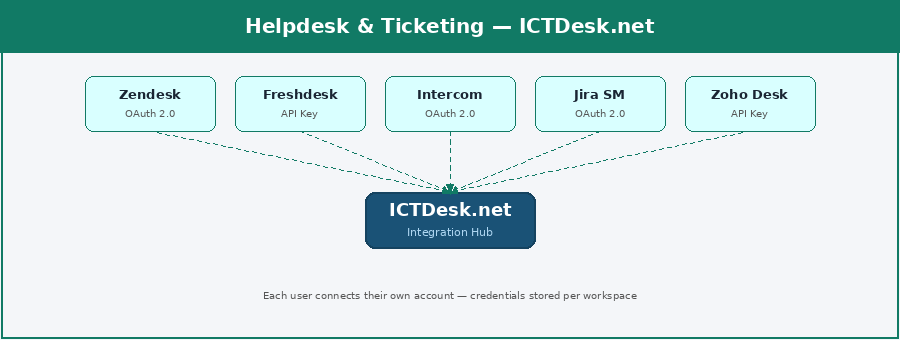
Supported Helpdesk Platforms
| Platform | Connection | Key Actions | Best For |
|---|---|---|---|
| Zendesk | OAuth 2.0 | Create tickets, update status, assign agents, add chat transcript as note | Mid-to-enterprise support teams |
| Freshdesk | API Key | Create/update tickets, assign groups, add private notes, attach transcripts | Growing SMB support teams |
| Intercom | OAuth 2.0 | Create conversations, tag contacts, trigger workflows, read conversation history | Product-led SaaS companies |
| Jira Service Mgmt | OAuth 2.0 | Create issues, set priority, assign to agents, link to epics | Dev/tech teams, IT support |
| Zoho Desk | API Key | Create tickets, assign departments, update status, attach chat logs | Zoho ecosystem users |
| HelpScout | OAuth 2.0 | Create conversations, tag customers, send follow-up emails | Email-first support teams |
| LiveAgent | API Key | Create tickets, sync contacts, set ticket priority and tags | Teams wanting chat + ticketing |
| Kayako | API Key | Create cases, update conversation history, assign agents | Unified support platforms |
| osTicket | API Key | Open-source, create tickets, set department, attach transcript | Self-hosted IT helpdesks |
| Groove | API Key | Create conversations, assign team members, add notes | Small teams, simple setup |
A useful pattern: set up an ICTDesk rule that automatically creates a Zendesk ticket whenever a chat is marked as “unresolved” or lasts longer than 10 minutes. The ticket is pre-filled with the transcript, the customer’s email, and the category your bot detected. Your Zendesk team sees a properly formed ticket — not an email that says “please help.”
3. E-Commerce — Turn Every Chat Into a Sales Opportunity
If you run an online store, your live chat is sitting on some of the most valuable real estate in your business. Every visitor who opens the chat widget is already engaged — they’re looking at a product, stuck on checkout, or curious about a return. That’s not a support interaction. That’s a sales conversation waiting to happen.
ICTDesk’s e-commerce integrations make sure your chat agents — and your AI bots — have everything they need to close those conversations. Order history, product details, inventory status, discount codes, cart contents — all visible inside the chat, without a single tab switch.
“Live chat with e-commerce integration doesn’t just improve support. It directly lifts conversion rates. Visitors who chat are 3–5x more likely to complete a purchase.”
Architecture
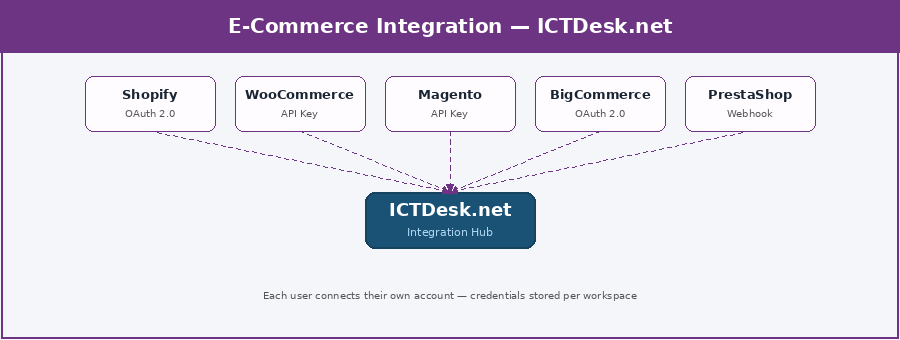
Supported E-Commerce Platforms
| Platform | Connection | Key Actions | Best For |
|---|---|---|---|
| Shopify | OAuth 2.0 (App) | Fetch orders, check inventory, apply discounts, create draft orders from chat | DTC brands, retail stores |
| WooCommerce | API Key (REST) | Look up orders, fetch product details, check stock, create coupons | WordPress-based stores |
| Magento / Adobe Commerce | API Key | Query orders and customers, manage returns, fetch product catalogue | Enterprise e-commerce |
| BigCommerce | OAuth 2.0 | Order lookup, product search, customer profile, apply promotions | B2B and B2C mixed stores |
| PrestaShop | Webhook + API | Order status, product info, customer account details | European e-commerce stores |
| OpenCart | API Key | Order lookup, product details, customer order history | Lightweight open-source stores |
| Wix eCommerce | OAuth 2.0 | Product queries, order tracking, customer profile | Small business storefronts |
| Ecwid | API Key | Add shop chat to any site, order and product lookup | Add-on stores, multi-site |
| CS-Cart | API Key | Multi-vendor order and product management from chat | Marketplace operators |
| Squarespace | OAuth 2.0 | Order status, product details, basic customer info | Designer-focused brands |
A common use case: a Shopify store connects ICTDesk. A customer chats saying “where’s my order?” The integration looks up their email in Shopify, finds the order, sees it’s in transit, and the bot responds with the tracking link automatically. If the customer then asks about exchanging a product, the agent sees the order details and can process a draft exchange order without leaving the chat window.
4. Messaging & Social Channels — Meet Customers Where They Already Are
Here’s a truth that every business eventually learns the hard way: customers don’t adapt to you. You adapt to them. And in 2026, your customers are on WhatsApp, Instagram, Telegram, and Facebook Messenger — long before they ever visit your website.
ICTDesk’s messaging channel integrations bring all of those conversations into a single inbox. Your agents handle WhatsApp messages, Instagram DMs, and web chat from the same screen, with the same tools, with full context for each customer regardless of where they started.
“Omnichannel isn’t a buzzword anymore. It’s a baseline expectation. If your customer sent you a WhatsApp message yesterday, they shouldn’t have to repeat themselves on your website today.”
Architecture
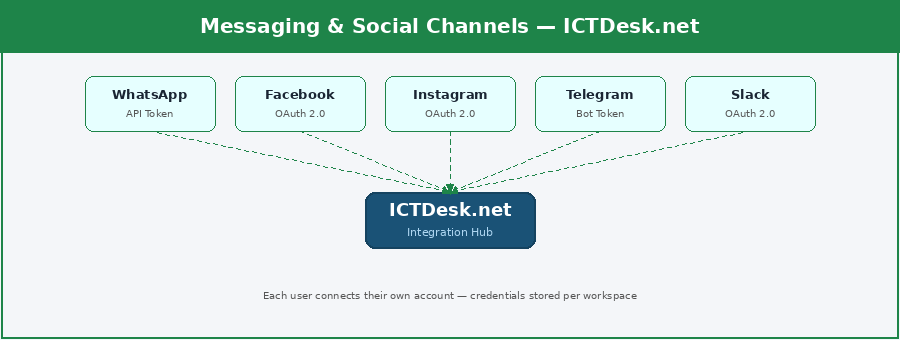
Supported Messaging Platforms
| Platform | Connection | Key Actions | Best For |
|---|---|---|---|
| WhatsApp Business API | API Token (Meta) | Send/receive messages, media, templates, manage sessions, status updates | Highest priority — 2B+ users |
| Facebook Messenger | OAuth 2.0 (Meta) | Send/receive messages, quick replies, persistent menus, referral tracking | Social commerce, lead gen |
| Instagram DMs | OAuth 2.0 (Meta) | Reply to DMs, story mentions, manage conversations across accounts | Brand engagement, retail |
| Telegram Bot API | Bot Token | Send/receive messages, commands, inline keyboards, group notifications | Tech communities, developers |
| Twilio SMS | API Key | Send/receive SMS globally, track delivery, manage two-way threads | Global SMS campaigns |
| Slack | OAuth 2.0 | Agent notifications, escalations sent to channels, ticket alerts | Internal team alerting |
| Microsoft Teams | OAuth 2.0 | Enterprise agent notifications, escalation routing, chat alerts | Enterprise internal comms |
| Viber | API Token | Send/receive messages, rich media, Eastern Europe & Middle East reach | Regional customer bases |
| Line | API Key | Japan, Thailand, Taiwan messaging, rich messages, chatbots | Asia-Pacific markets |
| API Key | China market messaging, official account integration, customer service | China market access |
The WhatsApp integration deserves special mention. With over two billion active users, it’s the most-requested integration for ICTDesk customers globally. Your business account connects once — every customer conversation on WhatsApp lands in the same ICTDesk inbox as your web chats. One team, one tool, zero missed messages.
5. LLM & AI Integrations — Intelligence Inside Every Conversation
Artificial intelligence isn’t something that’s coming to customer support. It’s already here — and the businesses that are integrating it properly are winning. Not by replacing their support teams, but by making them dramatically faster and more consistent.
ICTDesk’s LLM integrations let your registered users connect their own AI API keys directly to their workspace. When a customer sends a message, the AI can suggest a reply, summarise the conversation, detect the customer’s intent, translate the message, or auto-respond to common questions — all using the model the user trusts and pays for directly.
This is a critical design decision: ICTDesk doesn’t mark up AI costs or lock you into one provider. You bring your own OpenAI key. Your own Claude key. Your own Gemini key. The AI calls are made using your credentials — transparently, at cost.
“The best AI integration is the one you barely notice. It’s there in the suggested reply, in the auto-detected sentiment, in the language the bot chose. It’s working in the background so your agents can work at the front.”
Architecture
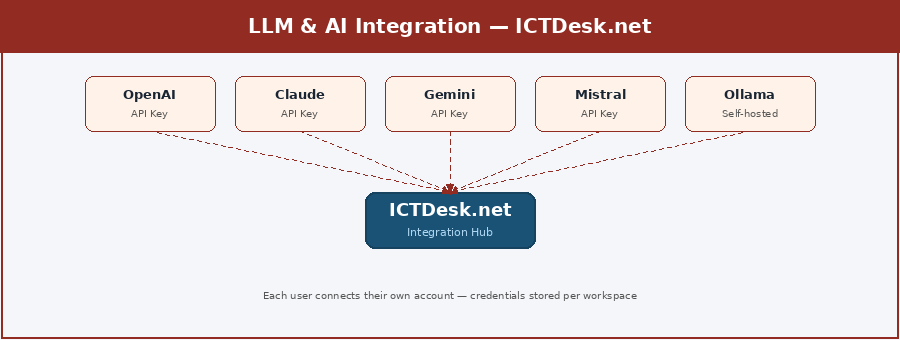
Supported LLM Providers
| Provider | Connection | Use Cases in ICTDesk | Best For |
|---|---|---|---|
| OpenAI (GPT-4o / GPT-5) | API Key (user’s own) | Smart replies, intent detection, chat summaries, FAQ auto-response, sentiment | General-purpose, widest use |
| Anthropic Claude | API Key (user’s own) | Safe customer replies, sensitive industry support, long context analysis | Healthcare, finance, compliance |
| Google Gemini | API Key (user’s own) | Real-time knowledge, multilingual support, Google-stack users | Multilingual, global teams |
| Microsoft Azure OpenAI | API Key (Azure) | Enterprise compliance, private deployment, M365 ecosystem | Enterprise data residency |
| Meta Llama 4 | Self-hosted (Ollama) | On-premise AI, full data sovereignty, custom fine-tuning | Privacy-first organisations |
| Mistral AI | API Key (user’s own) | Fast inference, GDPR-compliant European deployment | European businesses |
| DeepSeek | API Key (user’s own) | Cost-effective high-volume auto-responses, high throughput | High-volume chat automation |
| Groq API | API Key (user’s own) | Ultra-low latency replies — ideal for real-time chat suggestions | Speed-critical applications |
| Ollama (local) | Self-hosted endpoint | Run any model locally — zero data leaves the server | Maximum privacy control |
| Hugging Face Inference | API Key (user’s own) | Specialised models — sentiment, translation, classification | Custom ML pipelines |
What AI Does Inside an ICTDesk Chat
Here’s what actually changes when you connect an LLM to your ICTDesk workspace:
- Smart Reply Suggestions: As the customer types, the AI reads the conversation and suggests a reply. The agent accepts, edits, or ignores it — full control, with AI as co-pilot.
- Auto-Response for FAQs: Questions your AI can confidently answer (hours, pricing, returns policy) get handled automatically. Complex issues route to a human.
- Sentiment Detection: The AI detects frustration or urgency in real time and flags the conversation for priority handling before it escalates.
- Chat Summarisation: Long conversations are summarised automatically — perfect for handoffs between shifts or for logging into your CRM.
- Language Translation: Multilingual customers get support in their own language. The agent sees the translation; the customer sees their native language.
- Knowledge Base RAG: Connect your own documents, product guides, and FAQs — the AI answers from your content, not from generic training data.
6. MCP Integration — Your Live Chat Inside Every AI Assistant
This is the one that changes the game completely. Model Context Protocol — MCP — is an open standard introduced by Anthropic in late 2024 and now adopted by OpenAI, Google, Microsoft, and the broader AI ecosystem. By April 2026, there are over 10,000 active MCP servers and 97 million monthly SDK downloads.
What does this mean for ICTDesk? It means we can build one MCP server — hosted at mcp.ictdesk.net — and suddenly every major AI assistant on the planet can talk to your live chat platform. Not just read data. Actually take actions. Start chats, search conversations, create tickets, pull analytics — all through natural language inside Claude, ChatGPT, or Copilot.
A business owner could open Claude and say: “Show me all unresolved chats from today.” Claude connects to their ICTDesk workspace via MCP and returns the list. They say “Create a ticket for the conversation with Ahmed about the billing issue.” It’s done. They never opened a browser.
“MCP turns ICTDesk from a tool you log into, into a capability that lives inside every AI assistant your users already trust. Build once. Available everywhere.”
Architecture
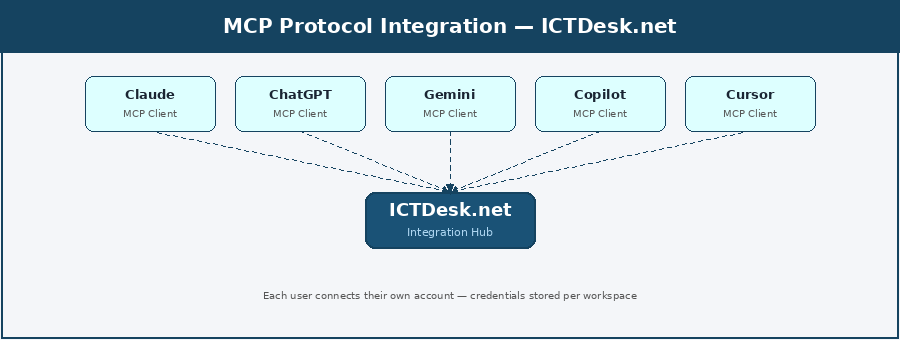
MCP-Compatible AI Clients
| AI Platform | MCP Role | What ICTDesk Users Can Do | Status |
|---|---|---|---|
| Claude (Anthropic) | MCP creator, full support | Read/write chats, create tickets, search conversations, get analytics via natural language | Full support — desktop + API |
| ChatGPT (OpenAI) | MCP client since March 2025 | Same capabilities as Claude — manage ICTDesk from ChatGPT interface | Tool-use interface |
| Google Gemini | MCP client | Live chat queries, ticket creation, contact management from Gemini | Supported via tool use |
| Microsoft Copilot | MCP client | ICTDesk actions inside M365, Teams, Word, Outlook context | Building MCP across M365 |
| Cursor IDE | Native MCP support | Developers access ICTDesk chat data while coding | Native, developer-focused |
| VS Code + Copilot | MCP via GitHub Copilot | Access ICTDesk within VS Code coding workflows | GitHub Copilot integration |
| Windsurf | Native MCP | AI code editor with full MCP client capability | Full MCP support |
| Claude Code | Native MCP | CLI-based access to ICTDesk for automation scripts and agentic workflows | Command-line, full support |
| Cline (VS Code) | Open-source MCP client | VS Code extension for ICTDesk access in development workflows | Open-source, growing |
| Continue.dev | MCP client | Open-source dev assistant with ICTDesk MCP access | Developer-focused |
What ICTDesk Exposes via MCP
| MCP Tool | Description | Auth Required |
|---|---|---|
| start_chat | Initiate a new live chat session for a visitor | User workspace token |
| send_message | Send a message to an active chat conversation | User workspace token |
| get_conversation | Fetch full transcript of a specific conversation | User workspace token |
| search_conversations | Search chats by keyword, date, agent, or status | User workspace token |
| close_conversation | Resolve and close an active chat | User workspace token |
| create_ticket | Convert a chat into a support ticket | User workspace token |
| get_visitor_info | Fetch visitor details, chat history, and contact record | User workspace token |
| get_agent_stats | Retrieve response times, chat volume, CSAT scores | User workspace token |
| set_auto_reply | Configure automated response for specific intents | Admin token |
| add_to_knowledge_base | Save an FAQ or answer to the AI knowledge base | Admin token |
The ICTDesk MCP server exposes tools to any connected AI client for managing conversations, creating tickets, pulling analytics, searching transcripts, and triggering agent assignments — all through natural language commands in your preferred AI assistant.
Security is handled at the workspace level. Each user authenticates the MCP connection with their ICTDesk bearer token. Write actions — like sending a message or closing a conversation — require explicit confirmation in Claude and ChatGPT before executing, ensuring no accidental actions from AI agents.
7. Workflow Automation — ICTDesk Without Limits
Some workflows are too specific to build into a standard integration. Maybe you want a chat to trigger a Monday.com task. Maybe you need a new chat lead to appear in Airtable. Maybe you want a WhatsApp message routed through a custom scoring algorithm before assigning to an agent.
ICTDesk’s automation integrations — with Zapier, Make, n8n, and others — cover all of that. ICTDesk exposes a set of webhook triggers that fire when important events happen. Automation platforms subscribe to those triggers and connect them to any of the thousands of apps in their ecosystems.
“A Zapier integration with ICTDesk isn’t just one integration. It’s a gateway to 7,000+ apps — every one of them connected to your live chat through a single webhook.”
Architecture
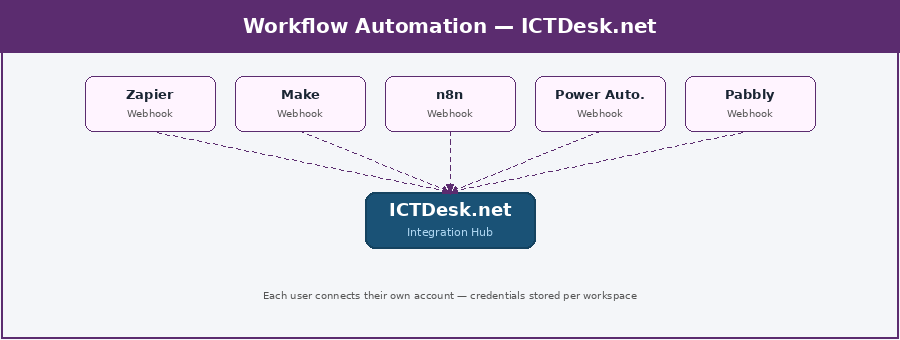
Supported Automation Platforms
| Platform | Connection | ICTDesk Triggers Available | Best For |
|---|---|---|---|
| Zapier | Webhook (per user) | Chat started, message received, chat closed, lead captured, ticket created | Non-technical users, 7,000+ apps |
| Make (Integromat) | Webhook (per user) | Same triggers + visual branching logic, data transformation | Complex multi-step workflows |
| n8n | Webhook (per user) | All triggers + self-hosted option, custom code steps, full data control | Technical teams, data sovereignty |
| Microsoft Power Automate | Webhook (per user) | ICTDesk triggers in M365 workflows — Teams, SharePoint, Dynamics | Microsoft 365 organisations |
| Pabbly Connect | Webhook (per user) | Core chat triggers at flat-rate pricing — budget-friendly option | Cost-sensitive SMBs |
| Activepieces | Webhook (per user) | Open-source alternative, self-hostable, clean interface | Privacy-first teams |
| Relay.app | Webhook (per user) | Simple AI-native workflows, meeting follow-ups, lead routing | Non-technical AI adopters |
| Gumloop | Webhook (per user) | LLM-connected automations — AI processes chat data in workflows | AI-first automation teams |
| Pipedream | Webhook (per user) | Developer-grade serverless steps, full Node.js/Python control | Developer automation teams |
| Workato | Webhook (per user) | Enterprise-grade with governance, compliance, and audit trails | Enterprise IT automation |
A practical example: an ICTDesk user connects Zapier. They create a Zap: “When a new ICTDesk chat is marked as a lead → create a HubSpot contact → add them to a Mailchimp list → send an internal Slack notification.” That entire workflow is built in Zapier using ICTDesk as the trigger — no code, no custom development, live in twenty minutes.
8. Email Marketing — Chat Leads That Actually Get Followed Up
Live chat is one of the best lead capture mechanisms a website can have. Someone engaging with your chat is far more qualified than someone who just visited a page. The problem has always been: what happens to that lead after the chat ends?
Without an email marketing integration, the answer is usually “it depends on the agent remembering to copy the email somewhere.” That’s not a system. ICTDesk’s email marketing integrations turn every chat lead into a properly tagged, segmented contact in your marketing platform — automatically, the moment the chat ends.
Architecture
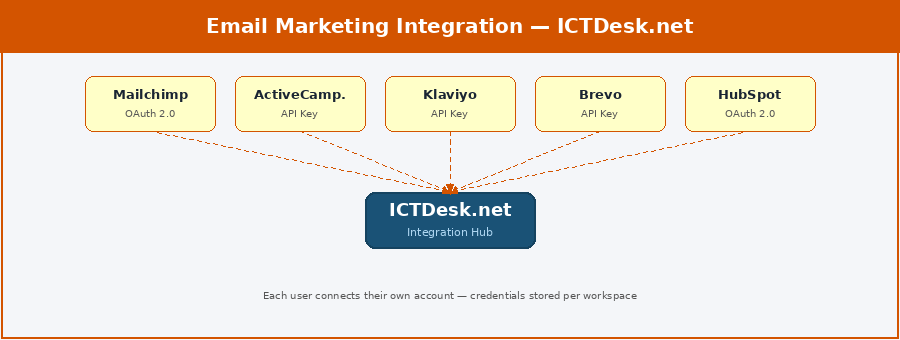
Supported Email Marketing Platforms
| Platform | Connection | Key Actions | Best For |
|---|---|---|---|
| Mailchimp | OAuth 2.0 | Add/update subscribers, apply tags, trigger automations, list management | SMBs, content-led marketing |
| ActiveCampaign | API Key | Create contacts, trigger sequences, update deal stages, apply tags | Advanced automation + CRM |
| Klaviyo | API Key | Sync e-commerce customers, trigger flows, apply segments from chat data | E-commerce email + SMS |
| Brevo (Sendinblue) | API Key | Create contacts, trigger transactional emails, manage lists | European teams, GDPR focus |
| HubSpot Email | OAuth 2.0 | Part of HubSpot CRM — chat leads auto-enrol in marketing sequences | All-in-one HubSpot users |
| ConvertKit | API Key | Tag subscribers, add to sequences, manage creator-focused lists | Creators, course builders |
| Drip | API Key | E-commerce email automation triggered by chat events | Shopify + email combo |
| Omnisend | API Key | Omnichannel sequences — email + SMS + push from single chat lead | E-commerce omnichannel |
| Moosend | API Key | Budget-friendly automation, subscriber sync from chat | Cost-sensitive SMBs |
| GetResponse | API Key | Subscriber management, landing page triggers, webinar registration | All-in-one marketing teams |
When a visitor chats and shares their email, ICTDesk can automatically add them to your Klaviyo account, tag them as “chat lead,” and trigger your welcome sequence — all without the agent doing anything beyond having the conversation. The integration handles the rest.
Integration Priority Roadmap
| Phase | Category | Platforms | Expected Impact |
|---|---|---|---|
| Phase 1 — Quick Wins | CRM + Helpdesk | HubSpot, Salesforce, Zendesk, Freshdesk | Immediate data sync, ticket auto-creation |
| Phase 1 — Quick Wins | E-Commerce | Shopify, WooCommerce | Order lookup in chat, conversion lift |
| Phase 2 — Reach | Messaging Channels | WhatsApp, Facebook, Instagram, Telegram | Omnichannel inbox, customer reach |
| Phase 2 — Reach | Email Marketing | Mailchimp, Klaviyo, ActiveCampaign | Automatic lead nurturing from chat |
| Phase 3 — Intelligence | LLM / AI | OpenAI, Claude, Gemini, Mistral | Smart replies, AI agents, auto-response |
| Phase 3 — Intelligence | MCP Protocol | Claude, ChatGPT, Copilot, Cursor | AI assistants control ICTDesk naturally |
| Phase 4 — Automation | Workflow Automation | Zapier, Make, n8n | Gateway to 7,000+ additional app connections |
| Phase 4 — Automation | Analytics | Google Analytics, Segment, Mixpanel | Data-driven optimisation, attribution |
Bringing It All Together
Every integration described in this guide shares the same principle: your ICTDesk workspace is the centre, and every tool you already use connects to it — securely, per user, with your own credentials and on your own terms.
The business that connects ICTDesk to their CRM, their e-commerce store, their WhatsApp, and their AI model isn’t just using a better live chat tool. They’ve built a connected customer operation where every conversation is informed, every lead is captured, every ticket is tracked, and every agent is AI-assisted.
And with MCP support, those same conversations become accessible inside the AI assistants your team already uses every day — Claude, ChatGPT, Copilot — without logging into another dashboard.
“ICTDesk isn’t where conversations happen. It’s where your entire customer operation comes together. The integrations are what make that possible.”
A Final Word
Every business that signs up for ICTDesk is at a different stage of their journey. Some are just adding live chat to their website for the first time. Others are running multi-agent support operations across five channels in three languages.
The integrations in this guide are not a list of features to collect. They’re tools to reach for when the problem presents itself. Start with the integration that solves your most immediate pain — usually CRM or helpdesk. Then expand as your operation grows.
What stays constant: every integration connects your account, your data, your tools — secured in your workspace, controlled by your team. ICTDesk is the hub. You bring what matters.
We’re here to help you connect it all.
— The ICTDesk Team — ictdesk.net
ICTDesk is built and maintained by ICT Innovations — specialists in open-source communication platforms, VoIP, AI, and customer engagement software.
The ICTDesk Integration Team documents, tests, and maintains platform connections across CRM, helpdesk, e-commerce, AI, and automation tools. Part of ICT Innovations — the company behind ICTDesk’s open-source communication stack.